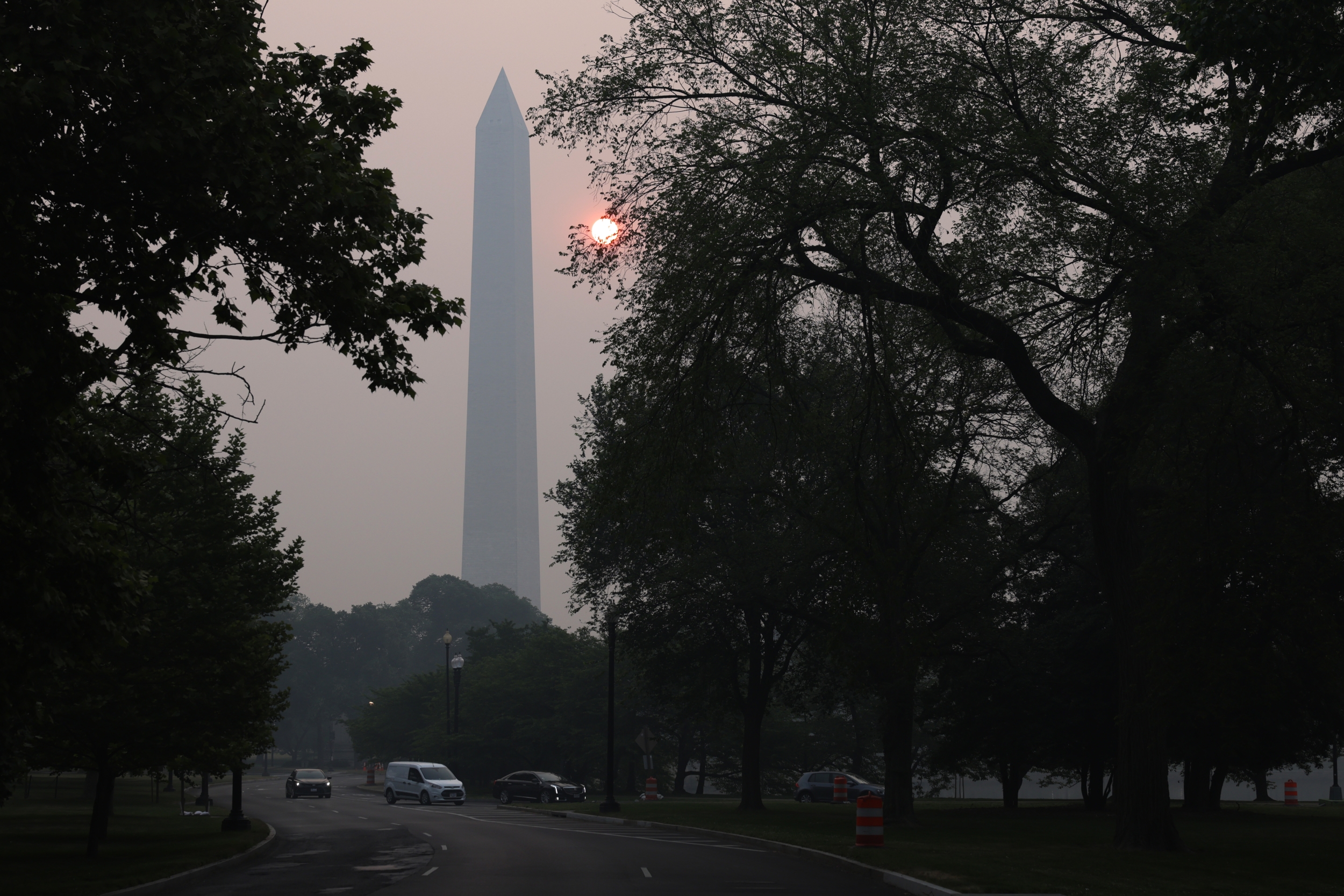
Washington, D.C., residents and the millions of visitors who attended America 250 celebrations on the National Mall have been advised to limit outdoor activity following a rare “Purple”air quality alert — the second-worst category on the federal Air Quality Index — triggered by a convergence of record-breaking heat and smoke from the largest fireworks display in American history.
The Metropolitan Washington Council of Governments issued the purple alert covering Washington, D.C., and parts of northern Virginia. Purple on the EPA’s Air Quality Index represents “Very Unhealthy” conditions — a level at which the EPA recommends that everyone, including healthy adults, reduce prolonged or heavy outdoor exertion.
The heat wave stretched from Wednesday through Saturday, and Washington D.C. hit 102°F on July 3, breaking a record set in 1872. On July 4, the capital reached 101°F or higher — the hottest July 4 in D.C.’s recorded history. The combination of that heat wave with a 40-minute, multi-site fireworks display that launched hundreds of thousands of shells produced post-display particulate matter concentrations that CNN confirmed briefly ranked Washington among the worst air quality of any major city in the world.
Why This Matters
Most Americans are familiar with air quality alerts for “sensitive groups” — adults with asthma, heart disease, or COPD. A Purple alert is categorically different. At this level, the EPA’s guidance extends to the general population: everyone should avoid prolonged or heavy outdoor exertion, not just those with pre-existing conditions.
The biological reason that heat and air pollution compound each other is specific. Heat causes people to breathe more deeply and rapidly — increasing the volume of air (and any particulate matter in it) inhaled per minute. Simultaneously, heat stress places additional burden on the cardiovascular system. Inhaling elevated particulate matter during cardiovascular stress creates a compound physiological challenge that healthy adults can normally tolerate but that at purple AQI levels carries documented risks.
What We Know So Far
The EPA’s AirNow system tracks fine particulate matter (PM2.5) at monitoring stations across the D.C. metro. Following the July 4 fireworks display:
D.C. July 4 temperature: 101°F or higher — the hottest July 4 in D.C.’s recorded history
AQI level: Purple — “Very Unhealthy” — the second-highest AQI category after Maroon (“Hazardous”)
PM2.5 source: Primarily fireworks smoke from the National Mall and nine additional launch sites
Alert area: Washington, D.C., and parts of northern Virginia
The AQMD in Southern California had separately issued a “Hazardous” (Maroon) air quality advisory for July 4–5 nationally, confirming the pattern
D.C.’s post-fireworks conditions briefly registered among the highest air pollution readings of any major global city
Where the Risk Is Highest
The risk is highest in:
Neighborhoods downwind of the National Mall and the nine additional fireworks launch sites used for the record display
Indoor spaces without air filtration — where smoke particulates can infiltrate through HVAC systems
People who remained outdoors after the fireworks ended, when PM2.5 levels were at their peak but the crowd was still dispersing
The alert covered both D.C. proper and northern Virginia — a corridor of 4 million-plus residents.
Sensitive groups (people with heart or lung disease, older adults, children, people with diabetes): Avoid all physical activity outdoors
Everyone else:Avoid prolonged or heavy outdoor exertion; consider moving activities indoors or rescheduling
People at the highest risk from the D.C. purple alert:
Adults with asthma, COPD, or heart disease
Older adults (65+) who attended National Mall events and spent extended time outdoors
Children who attended events and are still outdoors
People who ran, cycled, or engaged in heavy exertion outdoors during or after the alert period
Anyone with diabetes — air pollution independently worsens glycemic control
Symptoms and Warning Signs to Watch For
Anyone who spent extended time outdoors during the alert period and experiences the following should contact their physician or seek urgent care:
Unusual shortness of breath
Chest tightness or discomfort
Worsening cough or wheezing
Headache, dizziness, or unusual fatigue following outdoor time
Worsening asthma or COPD symptoms despite rescue inhaler use
What You Can Do Now
Check current D.C. area air quality at AirNow.gov by entering your zip code. If the AQI remains elevated, limit outdoor activity.
Run HVAC on recirculation rather than fresh-air intake to avoid pulling outdoor particulates indoors.
Use HEPA air purifiers indoors if available — particularly in bedrooms where nighttime air quality matters for recovery.
If you have asthma or COPD, review your action plan with your physician if symptoms have worsened following the alert period.
Do not exercise outdoors while the AQI remains in the orange, red, or purple range for your specific neighborhood.
If you attended National Mall events and feel unwell, contact your physician, particularly if you have cardiovascular or respiratory conditions.
Cost and Access: What Patients Should Know
AirNow.gov provides real-time, zip-code-level air quality data at no cost. The FEMA Wireless Emergency Alert system also broadcasts air quality warnings to mobile phones in affected areas.
For patients experiencing air quality-related asthma exacerbation who do not have insurance, federally qualified health centers in D.C. and northern Virginia provide urgent care services on a sliding-fee basis. For severe respiratory emergencies, call 911.
What Happens Next
The D.C. metro air quality is expected to improve as the fireworks smoke disperses over 48 to 72 hours and as weather systems provide atmospheric mixing. The DOEE (District of Columbia Department of Energy and Environment) updates D.C. air quality data in real time.
MedicalDaily will report on any prolonged air quality advisories or new health guidance from the D.C. health department related to the post-fireworks pollution event.
The Bottom Line
Washington, D.C.’s “Purple” air quality alert — triggered by record heat and the nation’s largest fireworks display — marks one of the most significant post-fireworks air pollution events the city has experienced. At this AQI level, the EPA’s recommendation extends to healthy adults, not just sensitive groups. If you were in the D.C. metro on July 4–5, limit outdoor activity while the AQI remains elevated and watch for respiratory or cardiovascular symptoms.
Public health surveillance data released by the CDC as of June 5, 2026 offers a mixed picture of the nation’s current disease burden heading into the height of summer. COVID-19 activity is very low nationally, RSV and influenza seasons have ended, and the emergency department burden from respiratory illness is at its lowest point of the year. But officials are tracking several developing concerns that warrant attention from residents, clinicians, and travelers over the coming weeks.
COVID-19: Low Now, But a Summer Surge Is Possible in the South and West
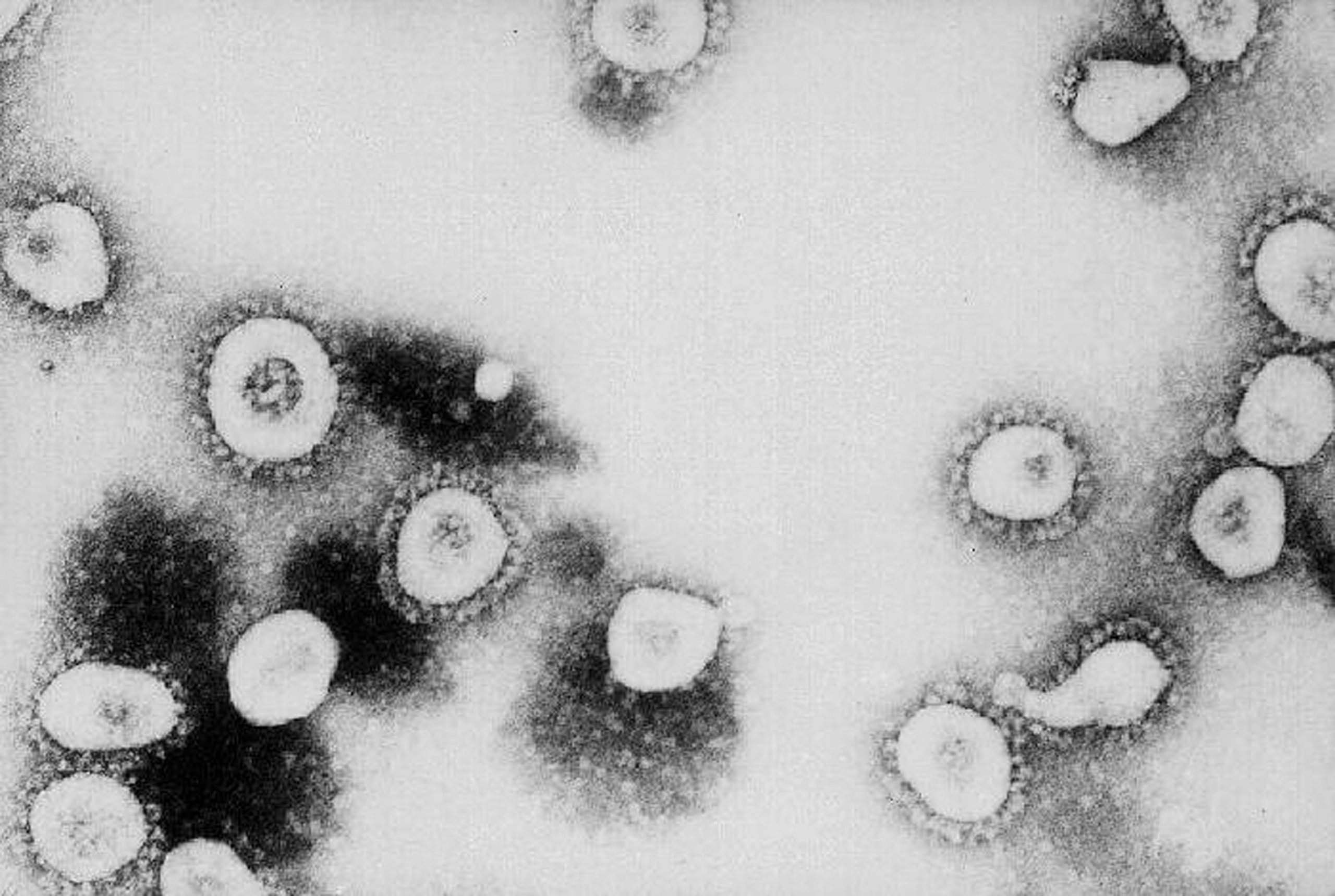
The CDC’s June 5 Respiratory Virus Data update confirms that COVID-19 activity is currently very low across the United States, with declining hospitalizations nationally over recent months. As of June 2, the CDC estimates COVID-19 infections are declining or likely declining in 41 states and growing in only 1 state, according to the agency’s epidemic trend models.
However, the CDC’s 2026 COVID Summer Outlook specifically warns that regions which did not experience substantial COVID activity during the most recent winter months — particularly the South and West — are expected to see increases in summer. The pattern of summer COVID surges in these warmer regions has recurred in multiple years since 2020, driven by people moving indoors to escape heat and, in 2026, by the convergence of World Cup mass gatherings drawing large numbers of international visitors into cities across those exact regions.
People at higher risk of severe COVID outcomes — adults 65 and older, immunocompromised individuals, and those with significant underlying health conditions — should remain aware of updated vaccine recommendations and discuss antiviral treatment eligibility (Paxlovid) with their physician if they test positive.
West Nile Virus: An Unusually Early Season Beginning
West Nile virus activity has been confirmed earlier in the 2026 season than in most prior years, raising concern that peak summer transmission — which typically occurs July through September — could be more intense than average. Positive mosquito pools were confirmed in San Antonio in May (unusually early), in Frisco, Texas in early June, and in New Orleans in early June. Louisiana’s public health response included helicopter-based aerial spraying over parts of New Orleans and surrounding parishes. California confirmed positive mosquito samples across six counties by early June.
West Nile virus has no vaccine and no approved treatment. The CDC recommends using EPA-registered insect repellents containing DEET, picaridin, IR3535, or oil of lemon eucalyptus; wearing long-sleeved shirts and pants during peak mosquito hours (dusk to dawn); eliminating standing water around the home; and ensuring window and door screens are intact.
Salmonella in Moringa Supplements: 119 Cases, 36 States
The ongoing CDC alert on Salmonella in moringa leaf supplement products has expanded since initial publication in May 2026. As of the latest update, the outbreak has sickened at least 119 people in 36 states, hospitalized 32, and involves a drug-resistant strain of Salmonella linked to brands including Live it Up, TNVitamins, Doctor’s Pride, MOGO, and Why Not Natural. Anyone currently using a moringa supplement should check the FDA’s active recall list and stop use immediately if their product is on it.
Frequently Asked Questions
Q: What is COVID activity level in the U.S. right now?
A: As of June 5, 2026, COVID activity is very low nationally. CDC estimates infections are declining in 41 states. However, summer surges are possible in South and West regions.
Q: Is West Nile virus active this summer?
A: Yes. Positive mosquito pools have been confirmed earlier than usual in 2026 in San Antonio, Frisco TX, New Orleans, and six California counties. The early season start suggests potential for above-average transmission in peak summer months.
Q: What should I do about the Salmonella-moringa outbreak?
A: Stop using any moringa supplement and check FDA.gov/recalls for your brand. The outbreak has sickened 119 people in 36 states, with a drug-resistant Salmonella strain linked to several supplement brands.
Q: Who is most at risk from West Nile virus?
A: Adults 60 and older and immunocompromised individuals face the highest risk of neuroinvasive West Nile disease. About 80% of West Nile infections cause no symptoms; approximately 1% cause severe neurological illness.
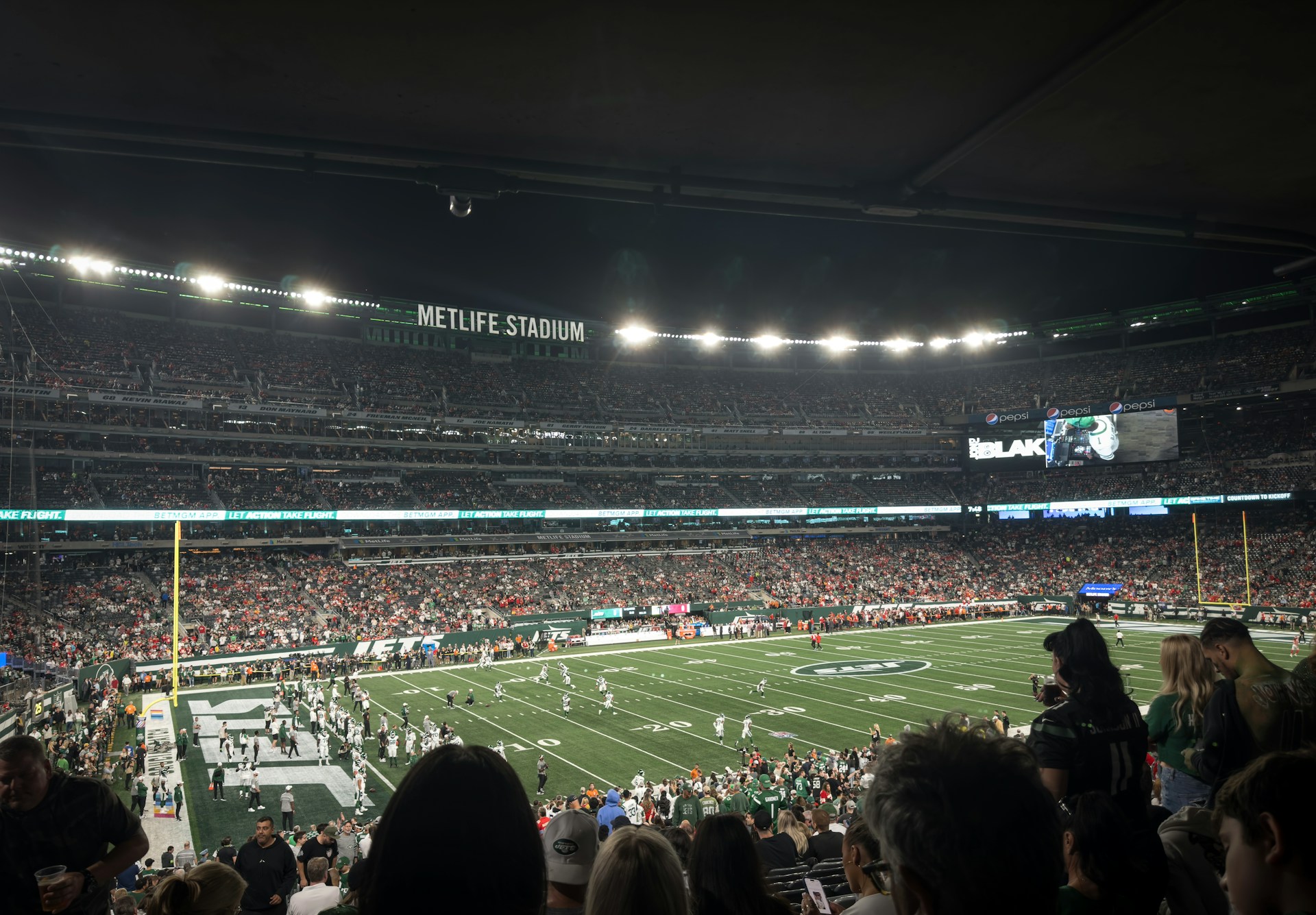
The 2026 FIFA World Cup opens in six days. The first match at MetLife Stadium in East Rutherford, New Jersey, is scheduled for July 14 — but the tournament officially begins June 11, and within days, New York metropolitan area transportation hubs, hotels, fan festival sites, and outdoor venues will begin absorbing the first wave of what officials project will be more than one million international visitors over the 39-day tournament. Into that moment, New York City is carrying a public health burden that no American city has faced in the context of a major international event in the modern era: five simultaneous, documented disease activations, each with its own monitoring infrastructure, response protocols, and resource demands, all competing for the attention and bandwidth of the same institutional public health workforce.
State health officials and experts quoted in CNBC’s comprehensive June 4 World Cup health analysis emphasized that the United States is well-prepared, with “a very robust system” and health departments that have been scaling up surveillance, hospital coordination, and monitoring for months. Dr. Margaret Aldrich of NYU Langone said the U.S. is “better prepared, honestly, than we ever have been for high-consequence infectious diseases.” Infectious disease physician Dr. Krutika Kuppalli, writing in STAT News, noted that the most likely infectious disease threats at the World Cup will “look much more familiar than frightening headlines suggest” — not Ebola, but the highly transmissible respiratory viruses that thrive in exactly the conditions a World Cup creates.
The Five Simultaneous Activations New York Is Managing
The full complexity of New York’s public health posture requires enumerating all five concurrent activations: First, the hantavirus quarantine — two New York State residents under around-the-clock state trooper surveillance at residential addresses outside NYC through June 22, representing the only U.S. exposure to Andes virus, the only hantavirus capable of human-to-human transmission, following the MV Hondius cruise ship outbreak that killed three people worldwide. Second, the active measles situation — 11 confirmed New York State cases in 2026 (6 in NYC, 5 statewide), all unvaccinated adults linked to international travel, embedded in a national outbreak of 1,974 confirmed cases. Third, the Ebola preparedness posture — the WHO’s May 17 PHEIC declaration for the Bundibugyo outbreak in DRC (344 confirmed cases, 60 deaths) with the DRC national team entering the World Cup through Houston. Fourth, the NB.1.8.1 COVID-19 subvariant generating rising wastewater signals in the Northeast. Fifth, West Nile virus surveillance activation for the summer mosquito season.
Each of these activations is, individually, a normal and manageable public health challenge for a city with New York’s infrastructure. Their simultaneous convergence, during the most intense international visitor period in the metropolitan area’s modern history, is what makes the summer of 2026 unprecedented. New York and New Jersey conducted a 50-agency simulation exercise in June 2025 specifically modeling a high-consequence infectious disease arrival via LaGuardia Airport during a mass gathering event. That simulation was designed for exactly this scenario. But simulations are conducted one scenario at a time. Reality is running five.
The Measles Threat Is the Science Experts Are Most Focused On
Of all the disease risks surrounding the World Cup, infectious disease experts have most consistently emphasized measles — not Ebola — as the pathogen most likely to cause a significant outbreak. As Dr. Kuppalli wrote in STAT, the reason is transmissibility. Ebola requires direct contact with the blood or body fluids of a symptomatic person. Measles’s R0 of 12–18 means a single infectious person can spread to 12 to 18 others in a susceptible population — through the air, in enclosed spaces, for up to two hours after the infected person has left the room. At a World Cup crowd of 82,000 people at MetLife Stadium, with international visitors from Mexico (10,920 cases in 2026), Guatemala (6,209 cases), and other Americas countries experiencing active outbreaks, the mathematical exposure potential from a single unidentified infectious case in an indoor concourse is not a model projection. It is a biological certainty.
The Good News: New York’s Infrastructure Is Genuinely Ready
In the interest of balance: the preparations New York has made are real and scientifically sound. Bellevue Hospital’s biocontainment unit has undergone additional training for the World Cup period. The Greater New York Hospital Association has conducted multiple video trainings on measles case identification. New York State’s infectious disease surveillance system is at heightened activation. The hantavirus quarantine infrastructure — deploying state troopers as monitors and state health officials for daily symptom assessment — is a demonstration that the system can respond to novel threats rapidly and effectively. Commissioner McDonald’s office has confirmed coordination across all five activations.
The immediate actionable guidance: New York City Health Department immunization clinics offer MMR vaccination without appointment throughout the five boroughs. For anyone who cannot document two doses of MMR vaccine — or was born between 1957 and 1968 and received the early formaldehyde-inactivated measles vaccine that provided only short-lived protection — vaccination now is the single most important health action available before the MetLife matches begin. The World Cup Final is on July 19. The window to complete two doses — which require at least 28 days between them — closed this week. A single dose now still provides 93% protection against a disease whose R0 is 18. Get vaccinated.
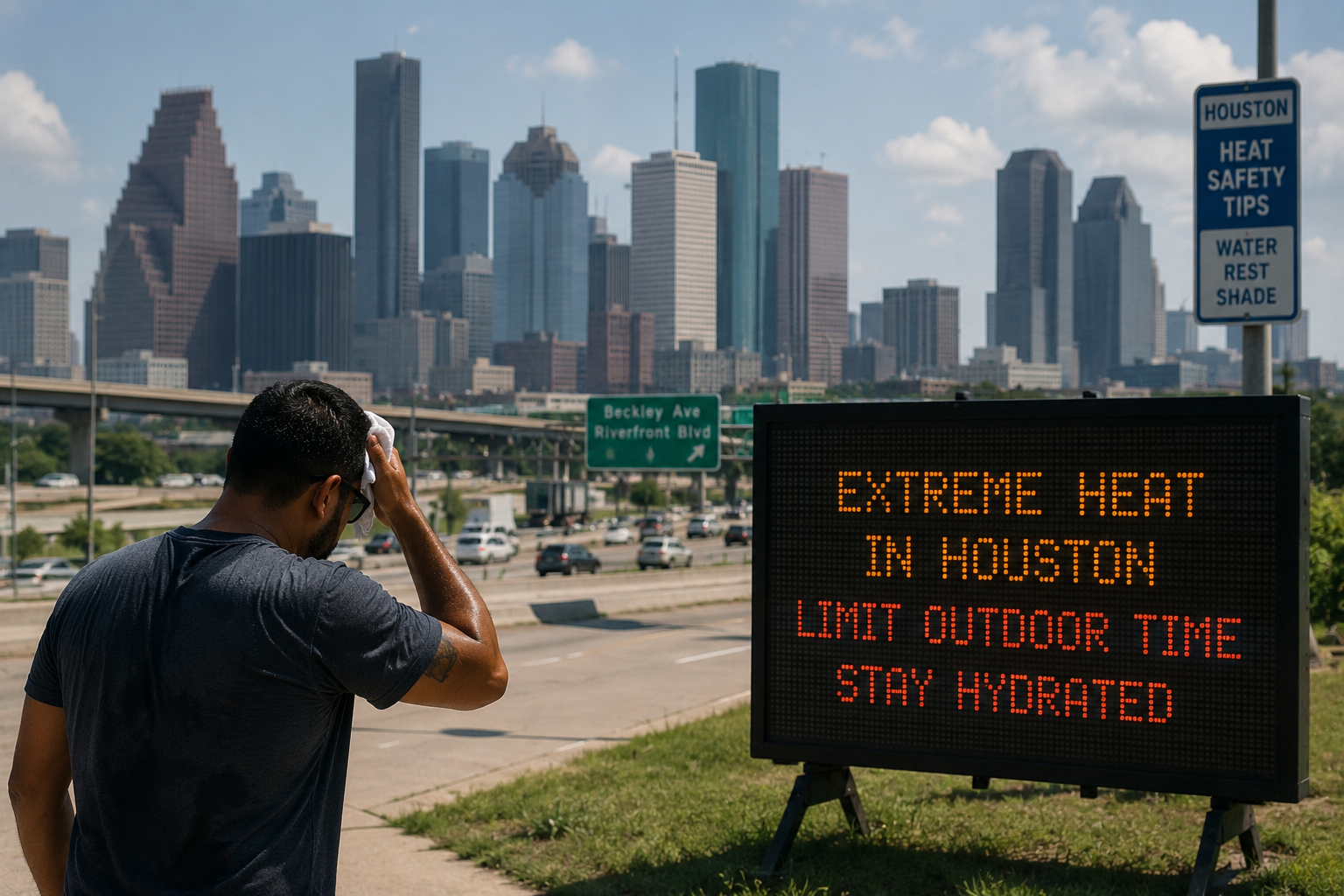
HOUSTON — As the first days of meteorological summer descend on Southeast Texas, the Houston Health Department (HHD) and Harris County Public Health are bracing for what is shaping up to be another potentially lethal heat season. The numbers are stark: heat-related emergency room visits in Harris County have surged 329% between 2019 and 2023, according to a landmark study by Harris County Public Health. With the 2026 summer just beginning, there is no credible reason to believe that trajectory has reversed.
The HHD has activated its annual Summer Surveillance program, an interactive dashboard that tracks heat-related illness (HRI) across Harris, Fort Bend, and Montgomery counties on a weekly basis. The dashboard is designed to identify vulnerable populations and trigger protective interventions — but as public health advocates have repeatedly warned, surveillance is only as valuable as the policy response it generates.
A 329% Increase: What the Data Actually Tells Us
The Harris County Public Health study, covering 2019 through 2023, is not a projection. It is a documented record of real emergency room visits by real Houstonians who required medical care because of the heat. The 329% jump over four years represents a compounding crisis — one that accelerated dramatically in 2024, when Hurricane Beryl knocked out power for up to 2.7 million customers in the middle of a heatwave. Houston-area hospitals reported about twice their normal ER patient load during that period, with more than 320 patients suffering heat-related illness — roughly triple the seasonal norm.
The study found that older adults accounted for 39% of heat-related illness cases — a demographic that is disproportionately likely to live alone, to lack air conditioning, or to be unaware they are overheating until it is too late. Workers who labor outdoors — construction workers, landscapers, delivery drivers — represent another heavily affected group, as do children who may be left in vehicles or who lack access to air-conditioned spaces during the day.
Dr. Jennifer Kiger of Harris County Public Health noted that the correlation between high heat index values — when temperature and humidity combine to reach life-threatening levels — and ER visits is unmistakable. Four of the past five summers in Houston ranked among the top 10 warmest on record. The National Weather Service regularly issues Excessive Heat Warnings for the region when heat indices are expected to exceed 108°F for multiple consecutive days.
West Nile Virus: The Additional Threat
Heat is not the only compounding risk this summer. The Texas Department of State Health Services (DSHS) has already confirmed the state’s first West Nile virus case of 2026 in a Harris County resident — diagnosed with neuroinvasive West Nile disease, the most severe and potentially fatal form of the illness. Neuroinvasive West Nile can cause encephalitis (brain swelling), meningitis, and permanent neurological damage. There is no specific treatment or vaccine.
West Nile spreads through the bite of infected mosquitoes, which thrive in exactly the hot, standing-water conditions that Houston’s summer reliably produces. Flooding from summer storms — a near-annual occurrence — creates breeding grounds for Culex mosquitoes throughout the Houston metro. Public health officials are urging residents to eliminate standing water on their properties, use EPA-registered insect repellents, and wear long sleeves and pants during peak mosquito activity at dusk and dawn.
The Systemic Problem: Heat Undercounting and Infrastructure Gaps
Experts believe Texas is significantly undercounting heat-related deaths. Medical examiners frequently list the immediate physiological cause of death — cardiac arrest, organ failure, respiratory collapse — rather than the underlying heat exposure that triggered the cascade. The CDC uses Maricopa County in Arizona as its national model for heat death investigation methodology; Texas counties vary dramatically in their capacity and willingness to code heat as a contributing cause of death, which means the true toll in Houston and across Texas is almost certainly higher than official figures reflect.
The infrastructure problem is equally acute. After Hurricane Beryl’s 2024 devastation exposed the fragility of CenterPoint Energy’s grid — leaving half a million people without power in triple-digit heat for more than a week — calls for accountability were loud but action was slow. The city’s cooling center network, while improved, remains inadequate for the scale of need: not all centers are open 24 hours, and transportation access to them remains a major barrier for the elderly, the disabled, and the unhoused.
What Houston Residents Must Do This Summer
The Houston Health Department’s advice for the 2026 summer heat season is urgent and practical:
• Never leave children, elderly persons, or pets in parked vehicles — even briefly.
• Check on elderly neighbors, especially those living alone or without air conditioning.
• If your home loses power during a heat event, go to a cooling center immediately. Find locations at the Houston Office of Emergency Management website.
• Drink water consistently throughout the day — do not wait until you feel thirsty, especially during physical activity.
• Know the signs of heat exhaustion (heavy sweating, weakness, cold/pale/clammy skin, weak pulse, nausea) and heat stroke (hot/red/dry skin, rapid/strong pulse, unconsciousness), which is a medical emergency requiring immediate 911 contact.
Monitor the Houston Summer Surveillance dashboard at houstonhealth.org for weekly updates on heat-related illness trends across the region.
Conclusion: Houston Is Running Out of Time to Treat Heat as a Public Health Emergency
A 329% surge in ER visits in four years is not a weather story. It is a public health emergency with a predictable, data-confirmed trajectory. The city of Houston and Harris County have surveillance tools, a published Summer Surveillance program, and years of mortality data. What has been slower to materialize is the political will and the infrastructure investment to match the scale of the crisis — particularly for the city’s most vulnerable residents, who are disproportionately low-income, elderly, or living without stable housing.
As June approaches, the window for preparedness is closing. Houston’s emergency rooms deserve more than a summer of predictable overcrowding. The residents who end up in them deserve more than reactive care after a preventable crisis.
LOS ANGELES — In a unanimous 10-0 vote that sent shockwaves through City Hall, the Los Angeles City Council has demanded an immediate investigation by the Department of Water and Power (LADWP) and the city’s Housing Authority after samples of drinking water in the Watts neighborhood were found to contain elevated levels of lead. The discovery has drawn national comparisons to Flint, Michigan — where a decade-long water contamination crisis poisoned a generation of children — and has raised urgent questions about the safety of tap water across one of America’s largest and most densely populated cities.
An analysis of LADWP’s own 2026 water quality data, reviewed by the Environmental Working Group (EWG), reveals a troubling picture: several contaminants are present at levels that exceed the EWG’s health guidelines, even if they remain within the EPA’s more permissive regulatory limits. The distinction matters enormously for public health — particularly for children, pregnant women, and communities with the least access to filtered or bottled water alternatives.
Lead in Watts: The Crisis That Triggered a City Council Vote
The Watts neighborhood — one of Los Angeles’s most historically marginalized communities, with a majority-Black and Latino population — has experienced chronic environmental health challenges for decades. The discovery of lead in tap water samples collected from Watts public housing units was not entirely surprising to residents who have complained about water quality for years. What was surprising was the speed and unanimity of the City Council’s response: a 10-0 vote demanding emergency action.
Lead is a potent neurotoxin. There is no safe level of lead exposure for children, according to the CDC, which lowered its reference blood lead level threshold to 3.5 micrograms per deciliter (mcg/dL) in 2021 — acknowledging that even previously “acceptable” levels cause measurable cognitive and developmental harm. For children under 6, whose brains are still developing, lead exposure causes irreversible reductions in IQ, increased impulsivity and aggression, and long-term learning disabilities.
The primary suspected source of the lead in Watts’s water is aging infrastructure: lead service lines and lead solder in the plumbing of older buildings. Many housing units in Watts were constructed before 1978, the year lead-based paint was banned nationally, and before the widespread replacement of lead plumbing. When water sits in lead pipes overnight, it leaches the metal, delivering it straight to the morning’s first glass or the baby’s formula.
Beyond Lead: Chromium-6 and PFAS in LA’s Water Supply
Lead is not the only contaminant of concern in Los Angeles’s water. The LADWP’s 2026 water quality data shows that Chromium-6 — the carcinogenic industrial chemical made internationally infamous by the Erin Brockovich case — has been detected in LADWP water at levels below California’s proposed regulatory standard of 10 parts per billion (ppb), but significantly above the EWG’s health guideline of 0.02 ppb, which is based on National Toxicology Program studies linking chromium-6 to gastrointestinal tumors.
The sources of chromium-6 in LA’s water include natural chromium in the geology of Eastern Sierra source water areas, historical industrial use of chromium compounds in the San Fernando Valley, and regional industrial contamination that has leached into groundwater. Standard activated carbon filters — like Brita pitchers used by millions of Americans — do not remove chromium-6. Only reverse osmosis or anion exchange resin filtration systems are effective.
PFAS (per- and polyfluoroalkyl substances, commonly called “forever chemicals”) contamination is also a growing concern in the greater LA region, particularly in groundwater sources in the San Gabriel and San Fernando Valleys. PFAS are associated with kidney cancer, thyroid disease, immune suppression, and developmental harm in children. For more information on PFAS in drinking water, visit the EPA PFAS resource page.
Who Is Most at Risk — and What They Can Do
The residents most at risk from LA’s water quality issues are those who lack the economic resources to purchase bottled water, install filtration systems, or move to neighborhoods with newer plumbing. That demographic overwhelmingly overlaps with the populations already bearing the greatest burden of environmental harm in Los Angeles: low-income communities of color in South LA, East LA, and the San Fernando Valley.
For residents concerned about lead exposure specifically, the following precautions are recommended by the Los Angeles County Department of Public Health and the EPA:
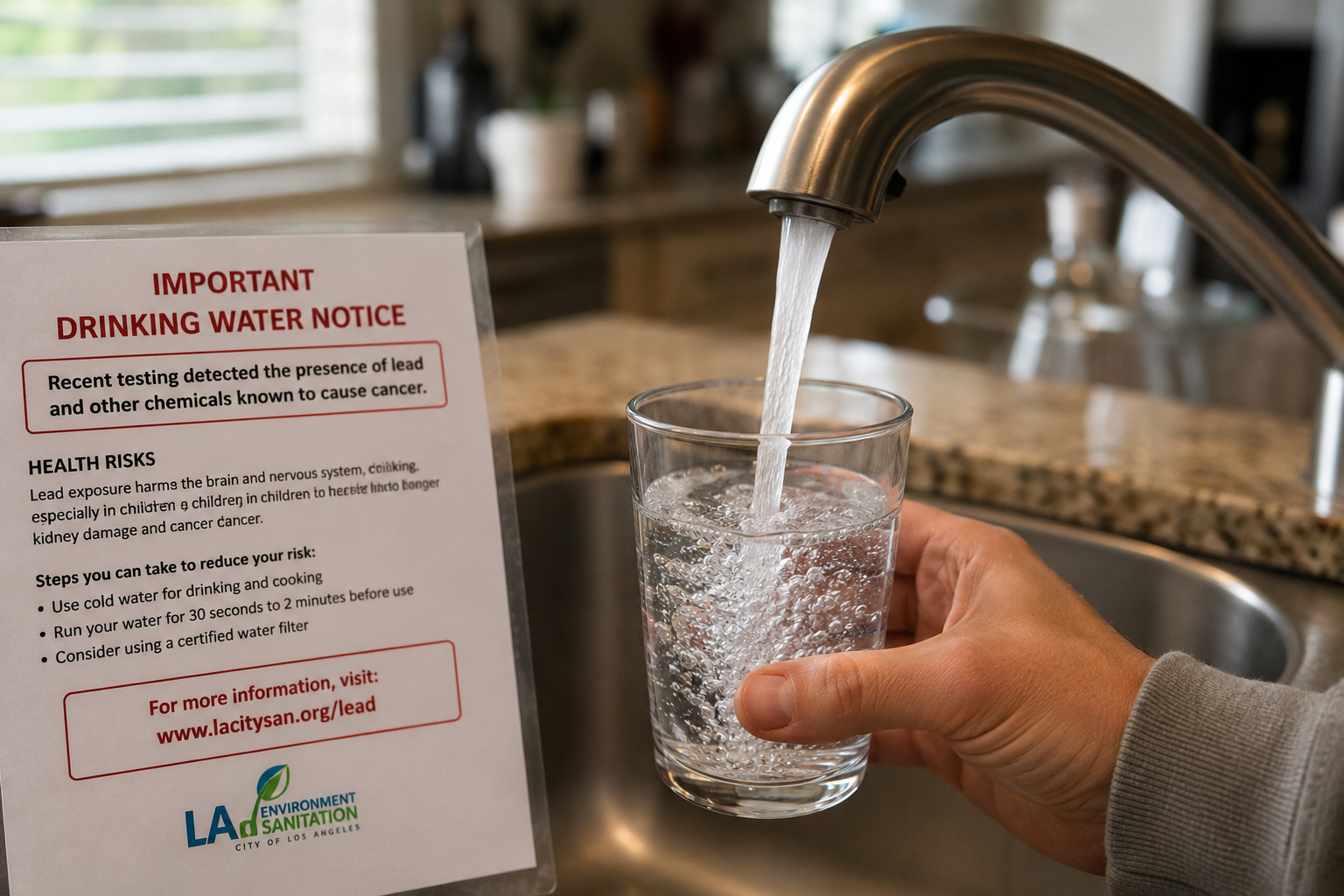
• Use only cold tap water for drinking, cooking, and making baby formula. Hot water leaches more lead from pipes.
• Flush your tap for at least 30 seconds to 2 minutes before using it for the first time each morning, or after extended periods of non-use.
• Consider installing an NSF-certified water filter rated specifically for lead removal. Pitcher-style filters (Brita, Pur) do NOT reliably remove lead. Look for filters certified under NSF Standard 53.
• Have children under 6 and pregnant women tested for blood lead levels. Talk to your pediatrician or call the LA County Department of Public Health.
Residents can also request a free lead-in-water test kit from the LA County Department of Public Health. More information is available at publichealth.lacounty.gov.
Conclusion: The Watts Crisis Is a Preview of a Citywide Reckoning
The Watts water contamination episode is not an isolated plumbing problem. It is a symptom of a systemic failure to prioritize infrastructure investment in communities that have long been told their concerns would be addressed “eventually.” Flint, Michigan waited years for “eventually.” The lesson from Flint — that regulatory compliance thresholds protect utilities, not people — must not be repeated in Los Angeles. The EWG’s data makes clear that LA’s water contains chemicals that exceed science-based health guidelines even when they technically comply with EPA rules.
A city as wealthy and as large as Los Angeles has both the resources and the obligation to close the gap between what the law permits and what public health demands. The unanimous City Council vote is a first step. The work of actually replacing aging lead lines, upgrading filtration, and ensuring equitable access to clean water for all 4 million residents of the city is the much harder task that lies ahead.
PHOENIX — Maricopa County health officials have confirmed the first heat-related death of 2026, an older adult male whose passing serves as a grim annual marker that the desert Southwest’s deadliest season has officially begun. The announcement came in April, following a historic March heatwave that sent multiple days above 100°F — a jarring early signal in a region where triple-digit temperatures typically don’t arrive until late May or June.
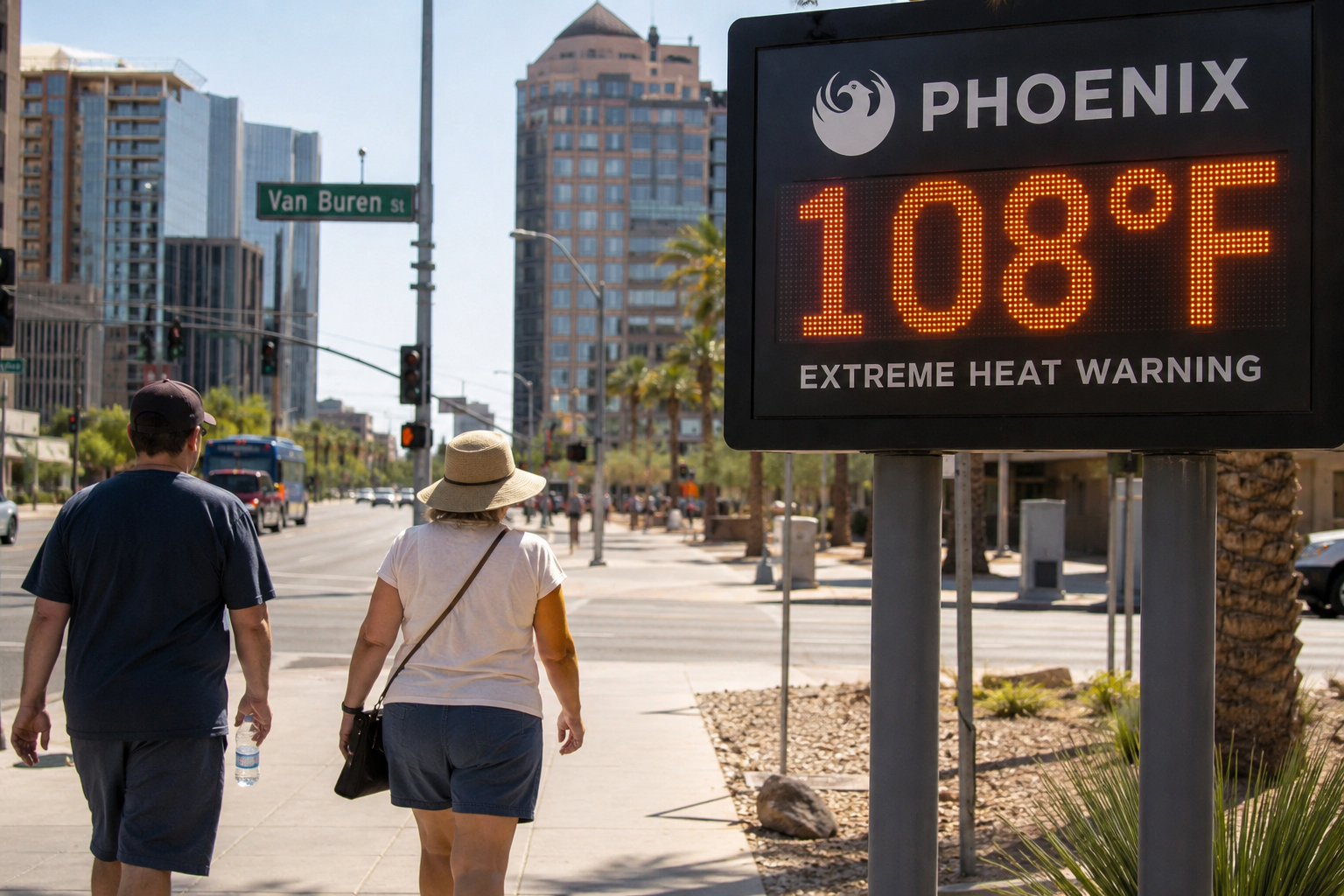
Then, in the second week of May, the National Weather Service issued a formal Extreme Heat Warning for the entire Phoenix metro area, with forecasted highs of 104°F on Saturday, 106°F on Sunday, and 108°F on Monday, May 11–13, 2026. That event affected more than 2 million people and triggered immediate activation of emergency protocols: trail closures at Camelback Mountain and Piestewa Peak between 8 a.m. and 5 p.m., expanded cooling center hours across Phoenix, Glendale, Chandler, Mesa, and Tempe, and emergency public health messaging urging residents to hydrate constantly and seek air-conditioned shelter.
The Death Toll in Context: A City That Has Been Here Before
Maricopa County recorded 427 heat-related deaths in 2025, down from 608 in 2024 and 645 in 2023. That downward trend is real and reflects genuine effort: the city of Phoenix invested nearly $185 million over five years in capital projects and homeless service operations, created a dedicated Office of Heat Response and Mitigation, and added more than 1,880 temporary and permanent shelter beds since 2022. The county’s Maricopa Heat Relief Network, which launched May 1, 2026, coordinates cooling centers and water distribution points across the county.
But even 427 deaths — the “improved” figure from 2025 — represents a staggering toll. Since 2013, more than 4,320 people have died from heat exposure in Arizona. The annual heat death toll in Maricopa County has risen approximately threefold since 2019. These are not natural disasters in the traditional sense. As public health experts consistently emphasize, heat deaths are preventable — each one represents a failure of the systems designed to protect the most vulnerable.
The county tracks heat-related deaths and illness in near real-time through the Maricopa County Heat-Related Illness and Death Dashboard, which updates weekly and is publicly accessible. The dashboard draws on data from the county medical examiner, local hospitals, and the National Weather Service — providing a granular, transparent picture of the crisis that few other counties in the nation match.
Who Is Dying and Where
The demographics of Phoenix’s heat deaths tell a story about housing policy and social safety nets as much as they tell a story about weather. In 2023’s deadliest year on record, at least 45% of those who died were unhoused — sleeping behind dumpsters, in parking lots, or on sidewalks baking at temperatures above 150°F at ground level, on days when ambient air temperatures reached 115°F or higher. Senior citizens accounted for roughly one in three deaths.
Geographic analysis of the data shows a stark pattern: neighborhoods with lower tree canopy coverage, more asphalt and concrete, and fewer green spaces — characteristics strongly correlated with lower household income — consistently record higher heat intensity than wealthier, leafier parts of the city. The urban heat island effect in Phoenix is not distributed equally.
Outdoor workers — construction laborers, landscapers, agricultural workers, delivery drivers — represent a third major at-risk group. Arizona has no state-level outdoor heat standard for workers with the force of law; federal OSHA’s heat standard, still relatively new and being phased in, provides national-level protections that are subject to enforcement resources and political will.
The Cooling Infrastructure Gap: What Still Isn’t Working
Despite genuine progress, Phoenix’s heat response infrastructure has documented gaps. Not all cooling centers are accessible 24 hours — a critical problem because nighttime temperatures in Phoenix rarely drop below 90°F during peak summer, meaning overnight heat exposure is itself lethal, particularly for those sleeping outside. Transportation access to cooling centers remains a significant barrier for elderly residents, people with disabilities, and those without vehicles.
The concern that federal pandemic-era funding supporting the heat relief network would expire in 2026 — as noted by the county’s own medical director — has materialized. The loss of that funding creates pressure on a system that, by every data point, still needs expansion, not contraction. The city of Phoenix simultaneously faces a $130 million reduction in tax revenue due to a change in Arizona state law, creating a fiscal environment hostile to scaling up heat response services.
How to Protect Yourself During Extreme Heat Warnings in Phoenix
• Check the Maricopa County Heat Relief Network for cooling center locations: maricopa.gov/heat.
• Never leave children, elderly people, or pets in a parked vehicle. Car interiors can exceed 150°F within minutes.
• Drink water before you feel thirsty — by the time thirst registers, dehydration is already underway.
• If you see someone showing signs of heat stroke (hot, red, dry skin; confusion; loss of consciousness), call 911 immediately and move them to shade while waiting.
• If your home lacks air conditioning and you cannot reach a cooling center, call 211 (Arizona’s social services helpline) for assistance.
Current heat advisories and warnings for the Phoenix metro area can be accessed at weather.gov/phoenix.
Conclusion: Phoenix Cannot Afford a “Good Enough” Heat Strategy
Phoenix sits at the intersection of multiple accelerating crises: a warming climate, an unhoused population that grew during the pandemic and has not fully recovered, aging housing stock without central air conditioning, and now a tightening municipal budget. The tools to prevent heat deaths exist — cooling centers, early warning systems, targeted outreach to the elderly and unhoused — but they require sustained political will and adequate funding to deploy at the scale the problem demands.
The first confirmed heat death of 2026 arrived in April. Summer doesn’t officially begin until June 21. If the pattern of recent years holds, thousands more emergency calls, hundreds more hospitalizations, and an unknown number of additional deaths lie ahead before the season ends. Maricopa County’s data-driven approach is a model worth emulating nationally — but even the best surveillance system is useless if the resources to act on what it finds are not there.
At 2:00 AM, your mother falls in the bathroom while you’re asleep 20 miles away. Three months ago, your father had a dizzy spell in the garden and couldn’t reach his phone. These moments happen faster than anyone expects, and the difference between quick help and a dangerous wait often comes down to one thing: whether someone can press a button.
Medical alert systems exist to close that gap. They connect seniors to trained emergency responders through wearable devices, bypassing the need to find a phone, remember a number, or hope someone hears a shout for help. For families navigating the tension between independence and safety, these systems offer a middle ground that keeps everyone breathing easier.
This guide walks through the top medical alert systems available in 2026, comparing features, pricing, and real-world performance to help you make a confident choice.
What’s Inside
You’ll find detailed breakdowns of eight leading medical alert providers, covering in-home systems, mobile devices, and smartwatch options. We’ve compared pricing structures, evaluated fall detection accuracy, and highlighted what actual users report about response times and customer service quality.
The article also covers how to evaluate systems based on your specific needs, what to watch for in contracts and fees, and answers to the most common questions families ask when shopping for medical alert protection.
TL;DR
Medical alert systems connect seniors to 24/7 emergency monitoring through wearable help buttons
Pricing ranges from $24.95 to $64.95 per month, with most providers offering month-to-month contracts
Top systems for 2026 include Bay Alarm Medical, Medical Guardian, MobileHelp, and Lifeline
Fall detection adds $10 to $15 per month but may miss up to 50% of actual falls depending on the provider
Family-owned companies tend to prioritize customer service over cost-cutting compared to private equity-backed competitors
What Is a Medical Alert System
A medical alert system connects you to emergency help through a wearable button, usually worn as a pendant or wristband. Press it during a fall, medical crisis, or moment of fear, and it connects you to a monitoring center where trained operators assess the situation and dispatch the appropriate response, whether that’s calling 911, contacting family members, or simply talking you through a stressful moment.
These systems replace the need to locate your phone, dial a number, or hope you can communicate clearly during an emergency. The best systems work in the shower, in the yard, and anywhere within range of a base station or cellular network.
Types of Medical Alert Systems
In-home systems use a base station plugged into your wall (either through a landline or cellular connection) and pair it with a wearable help button. The button has a range of 200 to 1,400 feet, depending on the model. When pressed, the base station’s speaker allows two-way communication with the monitoring center.
Mobile systems skip the base station entirely. The wearable device includes its own cellular connection and GPS tracking, providing protection anywhere with cell coverage. These work well for active seniors who spend time outside the home but cost more per month than in-home options.
Smartwatch systems combine medical alert functionality with activity tracking, step counting, and sometimes medication reminders. They look less conspicuous than traditional pendants but typically have shorter battery life.
How Medical Alert Monitoring Works
When you press the help button, the signal goes to a monitoring center staffed 24/7 by trained operators. The operator can hear you through the device’s two-way speaker and access your medical profile, emergency contacts, and location (for GPS-enabled devices). They’ll assess whether you need emergency services, family notification, or just reassurance.
Response times vary by provider. The fastest systems connect you to an operator in 8 to 12 seconds. Slower providers take 20 to 30 seconds. Most monitoring centers are based in the United States, though some companies outsource to overseas call centers.
When to Use a Medical Alert System
The decision to get a medical alert system usually happens after a close call. Someone has a dizzy spell, takes a bad fall, or experiences a moment where help wasn’t immediately available. But waiting for a crisis isn’t the only reason to consider these systems.
Medical alert systems make sense when mobility becomes unpredictable. If standing up sometimes causes lightheadedness, if balance isn’t what it used to be, or if chronic conditions like diabetes or heart disease create sudden emergencies, a help button provides insurance against the worst-case scenario.
They’re equally valuable for people living alone. The isolation itself creates risk. A fall in the bathroom at midnight becomes exponentially more dangerous when no one will check on you until the next afternoon. The system acts as a constant presence, someone always listening if you need them.
For family caregivers, these systems reduce the mental weight of constant worry. Instead of calling three times a day to verify everything’s okay, you can monitor through apps that track activity and alert you to emergencies in real-time.
Best Medical Alert Systems Compared
Rank
Provider
Best For
Monthly Cost
Fall Detection
Standout Feature
1
Bay Alarm Medical
Overall value and reliability
• $27.95 • $64.95
$10/mo
Family-owned, human-powered monitoring
2
MobileHelp
Budget-conscious couples
• $24.95 • $49.95
• $5.50 • $11/mo
Two-person bundles
3
Lifeline
Brand recognition
• $29.95 • $49.95
$15/mo
50 years of industry experience
4
MedicalAlert.com
Basic protection
$27.95+
$10/mo
Simple, straightforward systems
5
Medical Guardian
Fast response times
• $27.95 • $46.95
$10/mo
8-second average response
Top 5 Medical Alert Systems for 2026
I selected these systems based on real-world testing, user reviews, industry awards, and comparing how companies handle emergencies, customer service, and transparency around fees.
1. Bay Alarm Medical
Bay Alarm Medical
Bay Alarm Medical earned PC Mag’s Editors’ Choice award for 2026 and topped rankings from SafeHome.org, SafeWise, and The Senior List. Unlike private equity-backed competitors focused on margins, this family-owned company built its reputation on consultative service and emergency response that relies on humans, not AI call centers.
Overview
The company offers four core systems: SOS Home (in-home cellular), SOS Mobile (on-the-go GPS), SOS Smartwatch, and SOS All-In-One 2 (pendant with built-in cellular). Pricing starts at $27.95 per month with no contracts, no hidden fees, and a 15-day risk-free trial. Fall detection adds $10 per month.
Key Strengths
Response times average 8 to 12 seconds in independent testing, matching or beating competitors that charge significantly more. The monitoring centers are based in the United States with multilingual support in over 140 languages. Customer service availability runs 24/7, and the company maintains an A+ Better Business Bureau rating with over 18,000 Google reviews.
The Care Connect app gives family members real-time alerts when the help button is pressed, tracks location for GPS-enabled devices, and monitors device battery status. Unlike systems that charge extra for caregiver features, Bay Alarm includes this at no additional cost.
Summary
Best for: Families who want affordable monitoring backed by a company that won’t cut corners to please investors
Pros:
Family-owned with no private equity pressure to reduce service quality
Industry-leading response times without premium pricing
Free caregiver app with real-time emergency notifications
No contracts or cancellation fees
Cons:
Equipment fees range from $0 to $199 depending on the system
Fall detection costs extra (industry standard)
2. MobileHelp
MobileHelp
MobileHelp focuses on budget-friendly pricing and discounted bundles for couples who both need monitoring. For families managing costs on fixed incomes, the company offers reliable protection without premium pricing.
Overview
The Classic Cellular in-home system costs $24.95 per month, and the Solo mobile device runs $39.95 per month. MobileHelp’s key differentiator is the Duo Bundle, which provides two mobile devices for $49.95 per month instead of charging per person. Fall detection adds $5.50 to $11 per month depending on the system.
Key Strengths
The Classic system offers a 600 to 1,400-foot range from the base station, among the wider ranges in the category. Setup takes minutes without professional installation. The MobileHelp Connect app provides GPS tracking, geofencing alerts, and activity monitoring for caregivers.
Users report cancellation difficulties with unexpected charges if equipment returns arrive late
Some complaints about aggressive telemarketing scams falsely claiming to represent MobileHelp
Tested range fell short of advertised 1,400-foot maximum in real-world conditions
Real User Feedback
Reviews consistently praise affordability and ease of setup. However, multiple customers report billing issues after cancellation, with the company charging for additional billing cycles if equipment isn’t returned before the next payment date. One user reported a $550 charge appearing a year after canceling, requiring bank intervention to resolve.
3. Lifeline
Lifeline
Lifeline (formerly Philips Lifeline) holds nearly 50 years of history in the medical alert industry. For families who prioritize institutional reliability and proven track records over cutting-edge features, that longevity carries weight.
Overview
HomeSafe systems cost $29.95 per month for landline and $39.95 for cellular, plus a $99.95 setup fee. The GoSafe 2 mobile option runs $49.95 per month with advanced location tracking using five different technologies including GPS, Wi-Fi, and audio beaconing. Fall detection adds $15 per month, the highest rate among major competitors.
Key strengths
Response times average 12 seconds, among the faster systems tested. The My Lifeline caregiver app offers real-time notifications and device status monitoring. Professional in-home installation is available for seniors uncomfortable with self-setup, though it costs extra.
Connect America, which owns both Lifeline and Medical Alert, operates U.S.-based monitoring centers with support in over 140 languages.
Summary
Best for: Families valuing established brand history
Pros:
Nearly 50 years of operating history
Fast 12-second average response times
Optional professional installation
A+ Better Business Bureau rating
Cons:
Fall detection at $15/month costs 50% more than most competitors
Testing showed fall detection missed approximately 50% of simulated falls
$99.95 setup fee adds to first-month costs
Higher monthly pricing than budget alternatives
Real User Feedback
Most users appreciate responsive monitoring and helpful customer service staff. However, specific billing complaints surface repeatedly. One customer whose mother passed away before the system was ever activated fought for weeks to receive a refund despite returning unopened equipment with tracking confirmation. The company acknowledged receipt but delayed the refund repeatedly, requiring multiple phone calls to resolve.
4. MedicalAlert.com
MedicalAlert.com
MedicalAlert.com provides straightforward medical alert systems without extensive feature sets. The company markets itself as simple and reliable, appealing to seniors who want basic protection without learning complicated devices.
Overview
The Home Landline system costs $27.95 per month, while the Home Cellular system runs $27.95 per month. Mobile systems range from $37.95 to $47.95 monthly. A one-time equipment fee applies to all systems. Fall detection adds $10 per month.
Key Strengths
Setup earned high marks for simplicity across multiple reviews. The basic systems include waterproof help buttons that can be worn as pendants or wristbands. The Medical Alert Connect app provides caregivers with emergency notifications and activity monitoring.
Summary
Best for: Seniors wanting basic, no-frills protection
Pros:
Simple setup process
No long-term contracts
Waterproof help buttons
Medical Alert Connect app for caregivers
Cons:
In-home range tested at only 200 feet (far below the advertised 800 feet)
Outsourced customer service often unable to resolve billing issues
Multiple users report unauthorized charges months after cancellation
$35 restocking fees on faulty equipment returns
Predatory billing practices in user reviews
Real User Feedback
Trustpilot reviews paint a troubling picture. Multiple users report customer service representatives reading from scripts with no ability to solve problems or escalate issues. Several customers describe being charged for equipment they never authorized, then fighting for months to get refunds. One reviewer called the customer support “outsourced to the Philippines” with agents “not empowered to resolve problems.” Another stated the company “uses predatory sales practices” and recommended others avoid them entirely.
5. Medical Guardian
Medical Guardian
Medical Guardian delivers the fastest verified response times in the industry, averaging 8 seconds to connect users with monitoring center operators. The company offers five different systems, ranging from basic in-home units to cellular-enabled smartwatches.
Overview
The MGHome Cellular system ($37.95/month + $149.95 equipment fee) provides a 1,400-foot detection range, the widest tested. The MGMini Lite mobile device weighs just 0.7 ounces, lighter than most pendants, with step tracking and medication reminders. Fall detection runs $10 per month across all systems.
Key strengths
Response time testing by multiple independent reviewers confirmed 8-second average connections, faster than any competitor including Bay Alarm Medical. The MyGuardian app provides sophisticated caregiver features including activity tracking, medication reminders, and emergency notifications.
Medical Guardian earned top rankings from NCOA, which gave it a 9.9 out of 10 score, and SafeWise recognized it for GPS tracking capability.
Summary
Best for: Seniors prioritizing absolute fastest emergency response
Pros:
Fastest response times across the industry
Five system options including smartwatch and ultra-light mobile
Sophisticated caregiver app features
1,400-foot in-home range (industry-leading)
Cons:
Equipment fees add $149 to $199 upfront cost
Monthly pricing sits above budget competitors
Some users report battery life issues with mobile devices
Limited customer service responsiveness in isolated complaints
Real User Feedback
The majority of reviews highlight fast-response and helpful monitoring agents. However, BBB complaints show recurring issues with equipment quality, including devices that won’t hold a charge and missing advertised features. One customer reported waiting three months for a partial refund after returning faulty equipment, with the company withholding a $35 restocking fee for their own defective product.
How to Choose the Right Medical Alert System in 2026
Start by identifying whether you need in-home protection only or coverage on the go. If you rarely leave home, an in-home system with a 600-foot range covers most houses and yards at half the cost of mobile systems. Active seniors who drive, walk, or visit friends need mobile GPS-enabled devices.
Budget Considerations
Monthly fees range from $24.95 to $64.95. Equipment fees add $0 to $199 upfront. Fall detection costs an extra $5.50 to $15 per month. Calculate total first-year costs including equipment, activation, and monthly fees before comparing.
When providers like Bay Alarm Medical offer systems starting at $27.95 per month with free caregiver apps and no contract, you’re getting consultative service from a company not accountable to private equity investors focused on quarterly returns.
Response Time Verification
Claims about response times vary widely. Look for independent testing from reviewers who pressed the button and timed the wait. Eight to twelve seconds represents best-in-class. Anything over 20 seconds should raise questions.
Fall Detection Accuracy
Automatic fall detection sounds valuable but the technology remains inconsistent. Testing shows even top systems miss 30% to 50% of falls depending on how you land. If you can press a button after falling, you’re better served by a system with excellent response times than one with mediocre fall detection.
Company Ownership Matters
Family-owned companies like Bay Alarm Medical answer to customers and long-term reputation. Private equity-backed competitors answer to investors demanding margin improvements, which often means reducing call center quality, outsourcing support, or adding hidden fees. The difference shows up in how they handle problems after the sale.
Frequently Asked Questions About Medical Alert Systems
What is a medical alert system and how does it work?
A medical alert system connects you to emergency help through a wearable button. Press it, and you’ll reach trained operators 24/7 who can assess your situation, call 911, contact family, or provide reassurance. Systems like those from Bay Alarm Medical use U.S.-based monitoring centers with human operators, not AI automation, ensuring you speak with someone experienced in emergency response.
Who should use a medical alert system?
Anyone living alone with unpredictable mobility, chronic conditions like diabetes or heart disease, or a history of falls benefits from medical alert protection. Even healthy seniors appreciate the peace of mind knowing help is one button press away. Family caregivers gain the ability to monitor remotely without constant check-in calls.
What’s the difference between in-home and mobile medical alert systems?
In-home systems use a base station plugged into your wall and a wearable help button with a range of 200 to 1,400 feet. They cost less per month but only work within that range. Mobile systems have built-in cellular connections and GPS tracking, providing nationwide coverage for active seniors. Companies like Bay Alarm Medical offer both options depending on your lifestyle.
How much do medical alert systems cost per month?
Monthly fees range from $24.95 for basic in-home systems to $64.95 for mobile devices with fall detection. Bay Alarm Medical starts at $27.95 per month with no contracts, while competitors charge similar rates but may add activation fees, equipment charges, or require annual commitments. Fall detection typically adds $10 to $15 per month across providers.
Do medical alert systems require a contract?
Most major providers now offer month-to-month service with no long-term contracts. Bay Alarm Medical, Medical Guardian, and MobileHelp all allow cancellation anytime. Some companies offer discounts for annual prepayment but monthly plans remain the most flexible option for families unsure about long-term needs.
What is automatic fall detection and is it worth it?
Automatic fall detection uses sensors to detect sudden movements consistent with falling. When triggered, it automatically alerts the monitoring center even if you can’t press the button. However, testing shows systems miss 30% to 50% of actual falls depending on how and where you land. Systems from Bay Alarm Medical add fall detection for $10 per month, which provides valuable backup protection but shouldn’t replace a wearable help button you can press manually.